Table of Contents
Cart and checkout blocks theming
> 重要
> 私たちは、既存のブロック・クラス名に基づいてCSSコードを記述することを強く禁じ、可能な限りグローバル・スタイルを使用することを優先します。特に、特定のブロックが別のブロックの子孫であることに依存する CSS セレクタを記述することはお勧めしません。ユーザーがブロックを自由に移動できるため、壊れやすいからです。WordPress 自体と同様に、コンポーネント、ブロック、ブロックテンプレート内の HTML 構造は「プライベート」であり、将来さらに変更される可能性があると考えています。したがって、CSS を使用してブロックやブロックテンプレートの内部をターゲットにすることは推奨されませんし、サポートされません。
Buttons
WC Blocks introduces the button component, it differs from a generic button in that it has some default styles to make it correctly fit in the Blocks design.
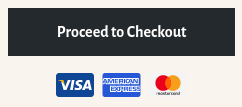
テーマは、以下のように、テーマの色やスタイルにマッチするようにスタイルを設定することができる:
.wc-block-components-button {
    background-color: #d5502f;
    color: #fff;
    /* More rules can be added to modify the border, shadow, etc. */
}
/* It might be needed to modify the hover, focus, active and disabled states too */
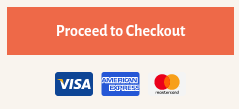
Notice the button component doesn't have the .button class name. So themes that wrote some styles for buttons might want to apply some (or all) of those styles to the button component as well.
Mobile submit container
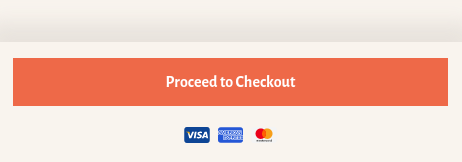
小さなビューポートでは、カートブロックは画面下部に固定されたコンテナ内に_Proceed to Checkout_ボタンを表示します。
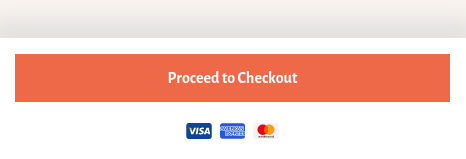
デフォルトでは、コンテナの背景は白なので、ボタンコンポーネントのデフォルトカラーとうまく調和します。ページの他の部分と同じ背景色を適用したいテーマは、次のコード・スニペットでそれを行うことができます:
.wc-block-cart__submit-container {
    background-color: #f9f4ee;
}
Take into consideration the container has a top box shadow that might not play well with some dark background colors. If needed, it can be modified directly setting the color property (internally, shadow color uses currentColor, so it honors the color property):
.wc-block-cart__submit-container::before {
    color: rgba( 214, 209, 203, 0.5 );
}
Alternatively, themes can override the box-shadow property completely:
.wc-block-cart__submit-container::before {
    box-shadow: 0 -10px 20px 10px rgba( 214, 209, 203, 0.5 );
}
Item quantity badge
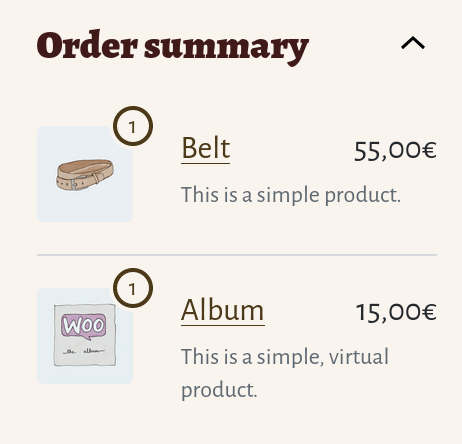
商品の数量バッジは、_Checkout_ブロックのサイドバーの_Order summary_セクションの画像の横に表示される数字です。
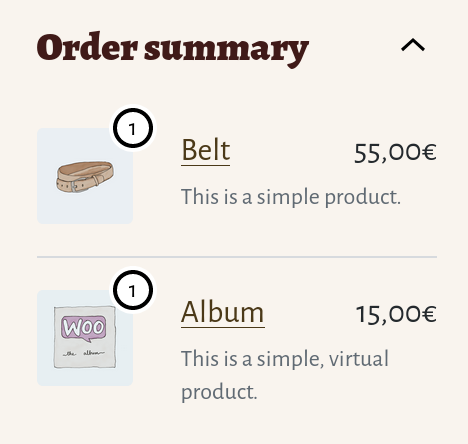
デフォルトでは、黒と白のボーダーとシャドウの組み合わせを使っているので、背景が明るいテーマや暗いテーマと十分なコントラストがあります。テーマは、1つのCSSセレクタと4つのプロパティを使って、独自のパレットで色を変更できます。例えば
.wc-block-components-order-summary-item__quantity {
    background-color: #f9f4ee;
    border-color: #4b3918;
    box-shadow: 0 0 0 2px #f9f4ee;
    color: #4b3918;
}